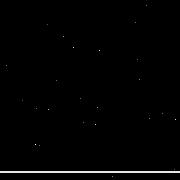
 Bad pixel map
    0 = OK
    1 = dark current too high
    2 = dark current too unstable
    4 = responsivity too high
    8 = responsivity too low (dead)
   16 = responsivity unstable
   32 = could not be linearized
   64 = missing pixel (pixel was filled in by SSC pipeline)
  128 = bad pixel that does not fall into above categories
Dark Current Too High or Too Unstable
Choose 0.01% of the pixels randomly and set them to "1" in the bad pixel map for
dark current too high and "2" for dark current unstable. The calibrated image is
NOT modified.
Responsivity Too High
Choose 0.01% of the pixels randomly and set them to "4" in the bad pixel
map. Multiply corresponding image pixels by 1.4
Dead Pixels (Responsivity Too Low)
Choose 0.1% of the pixels randomly and set them to "8" in the bad pixel map.
Modify those pixels in the calibrated image by setting them to "-1".
Responsivity Unstable
Choose 0.01% of the pixels randomly and set them to "16" in the bad pixel
map. Multiply corresponding image pixels by 0.6
Could Not Be Linearized to Requirement Level
Choose 0.01% of the pixels randomly and set them to "32" in the bad pixel map for
"could not be linearized". The calibrated image is NOT modified.
Missing Pixels
Select 3 adjacent rows (x=10,11 &12, y=1 through 256) and set bad pixel map to
"64" for all 3 rows. The calibrated image is NOT changed.
Bad Pixels That Do Not Fall Into Any of the Above Categories
Set pixel x=50,y=50 to "128". The calibrated image is NOT modified.